 ChessPigeon
Analyze your chess games and explore better moves
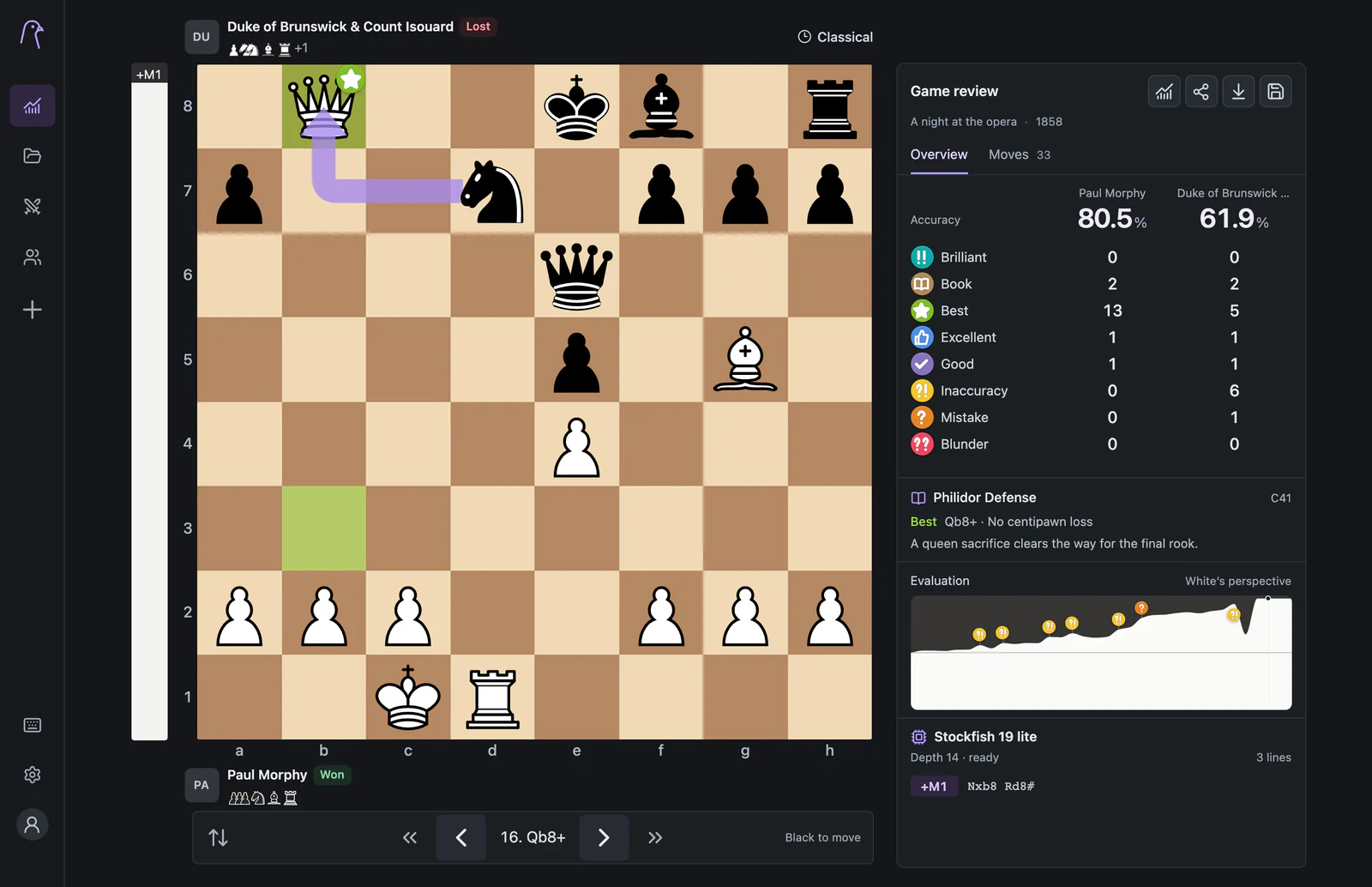
Analyze your chess games with Stockfish in ChessPigeon. Import a PGN or a public Chess.com game, run a review, then use the evaluation graph to find mistakes and explore better moves.
Reviews run on your device.
Why review
Most games are decided by a handful of moves
Replaying a whole game with an engine line under every move is tiring and easy to forget. ChessPigeon turns a review into a short list: who played more accurately, which moves cost the most, and where the evaluation swung.
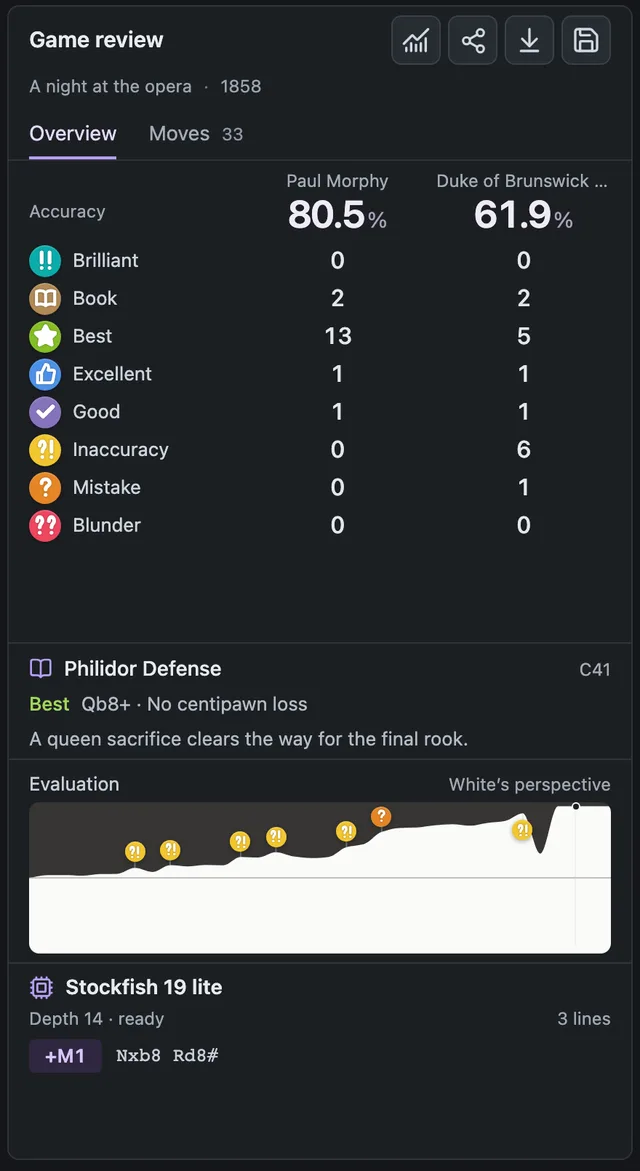
- Accuracy for both players at a glance
- Every move labelled, from Book and Best to Blunder
- An evaluation graph with the critical moments marked
- Up to five Stockfish lines for the current position
The workflow
How can I analyze a chess game?
The same four steps work for a game you just played online, a PGN from a tournament or a position from a book.
Import a game
Choose Import game (or press I). Paste PGN, FEN or EPD, drop a file, or open the Chess.com tab and search a username for recent public games.
Run the review
The first imported game starts its review automatically. For other games, press the chart button Analyze game. Progress shows as positions checked, and you can cancel at any time.
Find the turning points
Read the accuracy table, then click a marker on the Evaluation graph to jump to an inaccuracy, mistake or blunder.
Try your own moves
Play any move on the board, or click an engine line, to explore a variation. Return to main line takes you back to the game.
Evaluation graph
Read the whole game in one picture
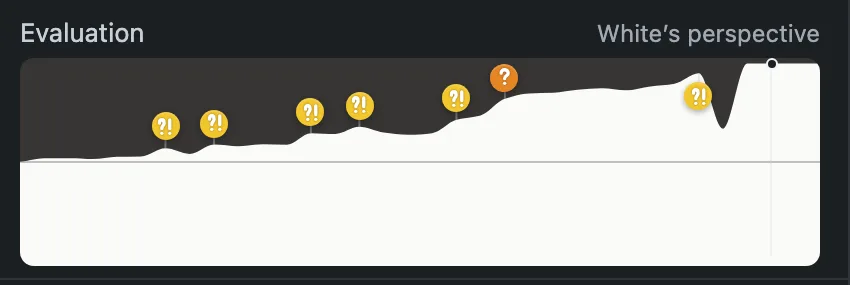
The graph shows how the evaluation changed move by move, always from White's perspective: higher means better for White. By default it marks the moves worth a second look.
- Markers show Brilliant moves, inaccuracies, mistakes and blunders. A setting can show every rating as coloured dots.
- Click anywhere on the graph to jump to that move on the board.
- Mate scores appear as +M3 or −M3, and as # once the game is over.
A worked example
Compare the game move with an alternative
The Opera Game after 4.dxe5, with Black to move. Black has two natural captures. Testing both on the board shows why recapturing the pawn is not as simple as it looks.
4...Bxf3 gives up the bishop to keep the queens on. After 5.Qxf3 dxe5 Black has regained the pawn, but White is ahead in development.
4...dxe5? 5.Qxd8+ Kxd8 6.Nxe5. The queens come off with check, the black king loses the right to castle, and the knight wins the e5 pawn while hitting the bishop on g4.
In ChessPigeon you would reach the position after 4. dxe5, play 4...dxe5 yourself and watch the engine lines and evaluation bar respond. Engine lines and the graph always use White's perspective. The evaluation bar follows the board, so it shows Black's view when you flip the board.
Move labels
What each label means
Labels show how your move affected your chances compared with Stockfish's best move.
| Label | Meaning |
|---|---|
| Brilliant | A strong piece sacrifice confirmed by the review. |
| Book | A recognized move in Pigeon's opening book. |
| Best | Stockfish's top choice at the review depth. |
| Excellent | Almost as strong as the best move. |
| Good | A sound move with a small cost. |
| Inaccuracy | A small setback. |
| Mistake | A significant setback. |
| Blunder | A serious error. |
Accuracy summarises those losses for each player. It is ChessPigeon's own estimate, so it will not match the score another site gives the same game. How review works
Keep your work
Save, export or share
Save to My games
The save button keeps the game in this browser on this device. Imported games are saved automatically.
Export a backup
Export game downloads PGN or a JSON archive with your variations, or the current position as FEN or EPD. Reviewed PGNs include the evaluations.
Share a link
Share analysis copies a link that holds the whole game, variations and review. Nothing is uploaded, and anyone with the link can open it.
Good to know
Important limits
- Results depend on settings. Analysis depth (Fast, Balanced, Deep or Max), the number of engine lines and your device's speed all affect what Stockfish finds. Scores are not meant to match other services.
- Drawings are temporary. Arrows and highlights help you think, but they clear when you change position and are not saved, exported or included in share links. Drawing needs a mouse or trackpad.
- Comments are read-only. Comments inside an imported PGN are shown, but Analysis has no comment editor yet.
- Standard chess only. Imports accept standard games of up to 5 MB and 500 games at a time. Chess variants are not supported.
- Your library lives in this browser. Clearing site data removes saved games, so download a PGN backup of anything important. How storage works
- Share links have a size limit. Very long analyses are too large for a link; download the PGN instead.
Help
Related instructions
Review your last game now
Paste a PGN or search your Chess.com username, and the review starts on its own.