 ChessPigeon
Your First Game Review
Load a game into ChessPigeon and let Stockfish review every move. Follow the steps below to get started.
What you'll get
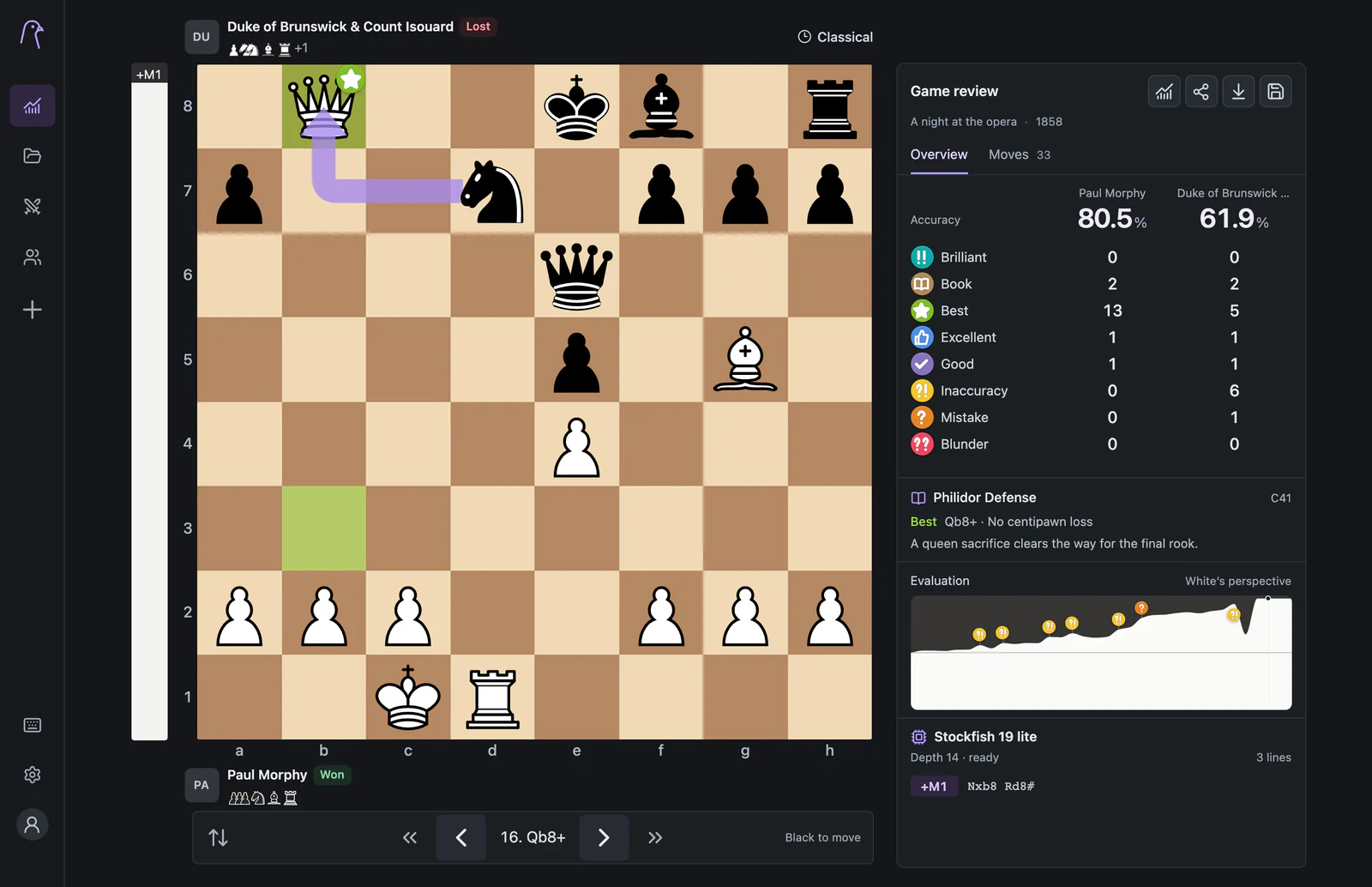
By the end you will have a game open in Analysis with an accuracy score for both players, every move labelled from Best to Blunder, and an evaluation graph that shows where the game turned.
Before you start
- A current desktop or mobile browser. Nothing to install.
- A game to review: PGN text or a .pgn file, a FEN position, or a Chess.com username whose public games you want to look at.
Review your first game
- Open the app. Select Open analysis to start a review. On your first visit to the homepage, choose Open analysis from the overview.
- Open the import dialog. Select the + button in the sidebar (Import game) or press I. The Import games dialog opens.
- Add your game. On the File or text tab, paste the PGN into Or paste a game/position, or choose a file. To use Chess.com instead, switch to the Chess.com tab, type the username, select Find games and tick the games you want.
- Select Analyze. The first game opens on the board and its review starts straight away. You will see the progress as positions checked, with a Cancel button.
- Read the review. When it finishes, the Overview tab of the Game review card shows accuracy and move counts. Click a marker on the evaluation graph, or use ← and →, to step through the moves.
No game handy? Use ours
Open Paul Morphy's Opera Game from 1858 in a new tab, then select the chart icon (Analyze game) in the Game review card. Your own tab, unsaved work and saved games are not touched.
Open the Opera Game in ChessPigeon (opens in a new tab)
What you should see
Common problems
- The import shows an error. Read the message: it names the problem, for example an illegal move at a specific move number. See import problems.
- Chess.com finds no games. Only completed standard games from public archives are listed. Check the spelling of the username.
- The review seems stuck. Keep the tab open and in front; browsers slow down background tabs. If the engine reports an error, select Restart engine.
Next steps
Keep the game: select Save game to add it to My games in this browser, or use Export game to download a PGN. Then learn what the labels and numbers mean.